

-
Author
-
November 2, 2018 at 15:07 #212695
Intertruck
ParticipantHello! Is it possible to have a BackButton on every single post at the top of the page or under the like button? The button should link to the blog page.
November 2, 2018 at 17:18 #212706Radu
ModeratorHi,
Provide credentials to see how the single page looks.
Cheers
RHi there!!! Help others from the community and mark any reply as solution if it solved your question. Mark as a solutionNovember 5, 2018 at 15:02 #212852ModeratorHi,
Here’s the file where you can add a button
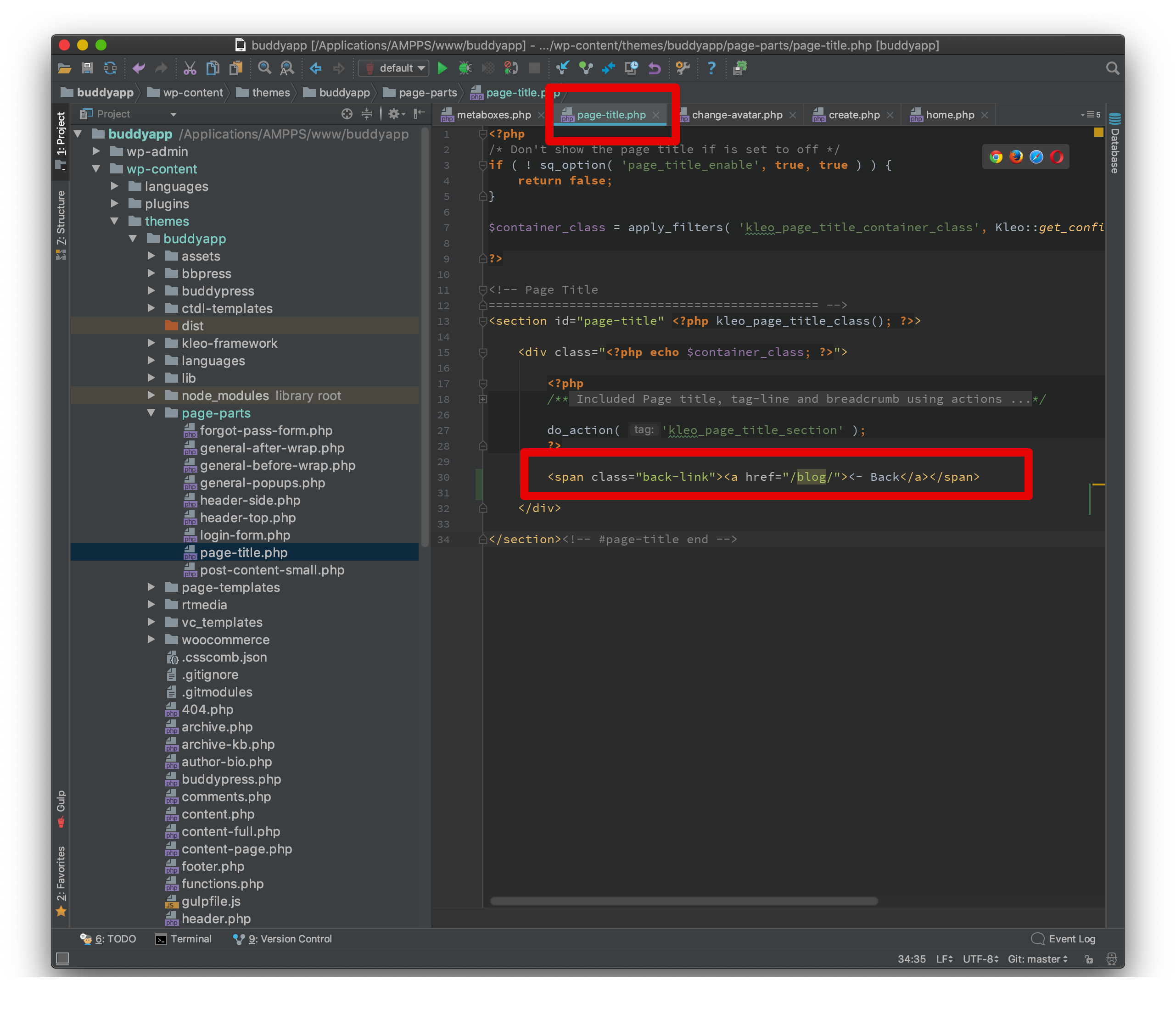
code : https://pastebin.com/raw/WRNgXk1F
The code will be pasted in child theme in same location : wp-content/themes/buddyapp-child/page-parts/page-title.php
Create the folders that missing and also the files in child theme and then paste that code
Cheers
RHi there!!! Help others from the community and mark any reply as solution if it solved your question. Mark as a solutionNovember 5, 2018 at 15:25 #212859ParticipantThank you for the code, I made the folder page-parts and the php file: page-title.
But nothing happened, even when I watch the website in incognito.
Can you have a look, I attached the login file. Also for php.November 6, 2018 at 09:34 #212920ParticipantOr maybe is the beta website better to have a look.
November 6, 2018 at 15:53 #212973ModeratorHi,
I see it looks ok, try to remove the ‘<-' from <- Back leave only Back word maybe it interfere in some way. Make sure to have child theme activated also at this moment i cannot see the file added in child theme. Empty caches Cheers R
Hi there!!! Help others from the community and mark any reply as solution if it solved your question. Mark as a solutionNovember 7, 2018 at 10:58 #213005ParticipantUnfortunately that does not work either. I also gave you a php login for betaintranet.intertruck.com.
November 7, 2018 at 13:51 #213010ModeratorHi,
You had forgot to add .php to the file, nto sure how
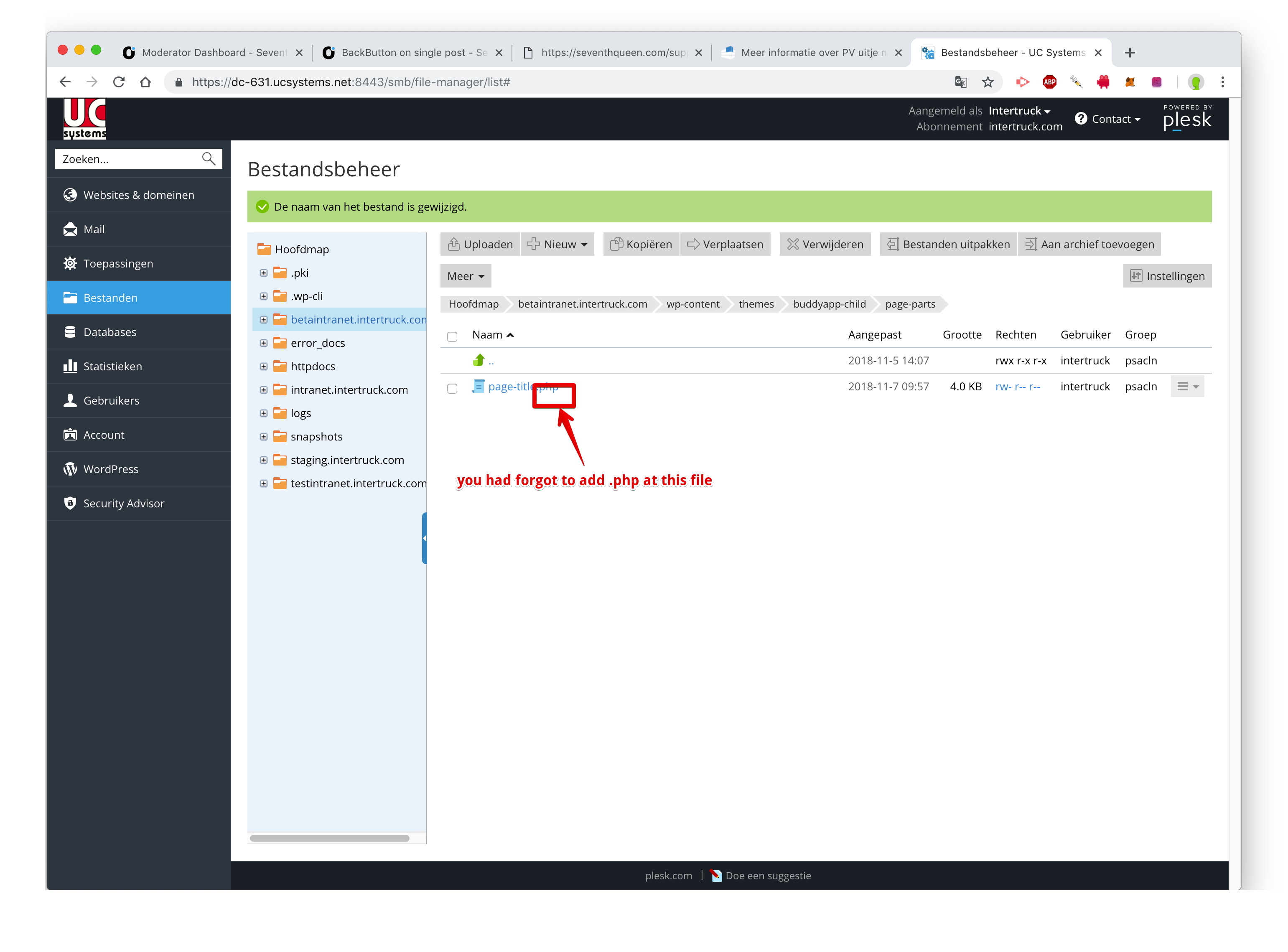
Now the button it’s there
Cheers
RHi there!!! Help others from the community and mark any reply as solution if it solved your question. Mark as a solutionNovember 7, 2018 at 14:30 #213014ParticipantAh alright now it works. But it’s now on every page. Can we do this only on the post items?
November 8, 2018 at 15:19 #213048ModeratorHi,
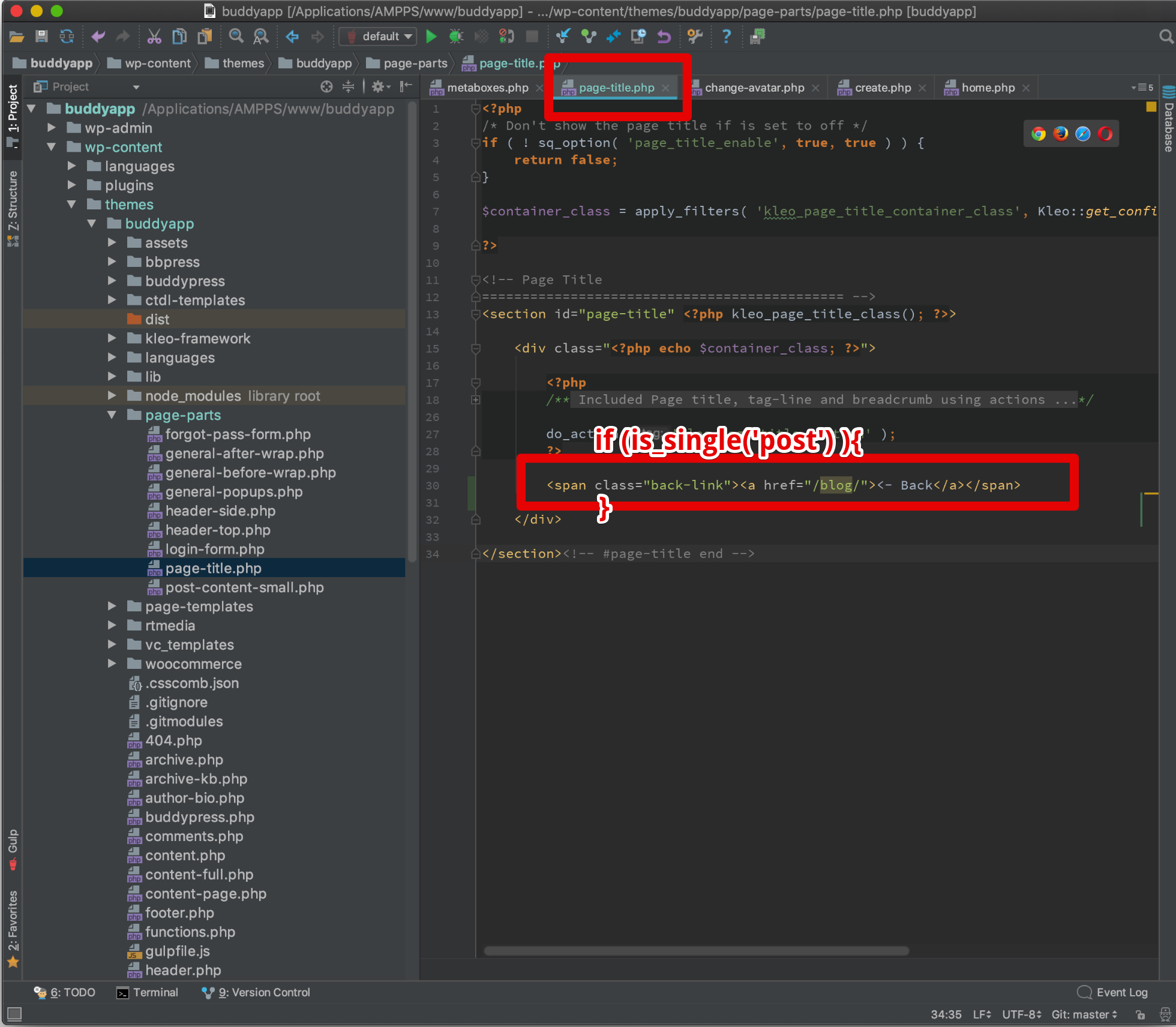
Wrap the a href link into a if else for the posts use only is_single(‘post’)
Similar to the screenshot
Cheers
RHi there!!! Help others from the community and mark any reply as solution if it solved your question. Mark as a solutionNovember 15, 2018 at 11:38 #213443ParticipantHello thanks but can you send me a new code? I can’t figure it out. I changed it but it didn’t work.
Is the path still the same?
November 15, 2018 at 18:02 #213463ModeratorHi,
You just add that before… and after exactly like in screenshot
try with this instead
if ( is_single() ) {
?>
Back
}For such as custom code help you will have to hire a developer to can help you to achieve your custom needs.
Cheers
RHi there!!! Help others from the community and mark any reply as solution if it solved your question. Mark as a solution -
AuthorPosts
The forum ‘General questions’ is closed to new topics and replies.